
- You have no items in your shopping cart
- Subtotal: ৳ 0.00
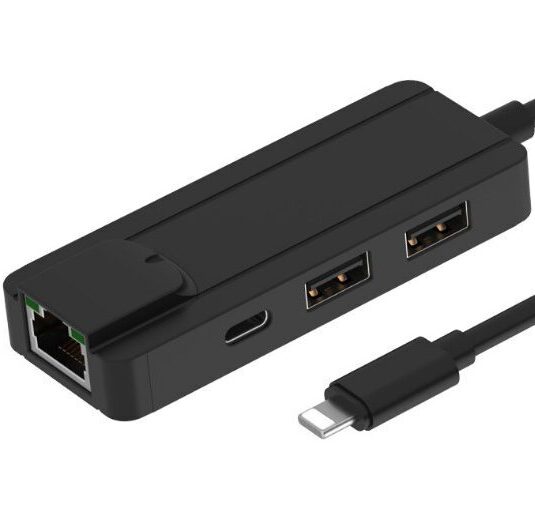


BeskrivelseEthernet adapter LightningLightning HubNetwork adapter LightningNetwork adapter 4 in 1Super fast internet! The connections/ports are:Ethernet (RJ45).Lightning.2 USB. Technical specifications:iOS system.Usage:Data transmission.Ethernet connection.Data transmission for video, games, picture oploading, home audio and video playback, game intertainment, and U-disk transmission. Ethernet transfer speed: 10/100 MbpsUSB transfer speed: 480 Mbps Cable length: 11 cm. Compatible with system version IOS 8-10.11.12.Compatibility: iph 5, iph 5c, iph SE, iph 6, iph 6 Plus, iph 6s, iph 7, iph 7 plus, iph 8/X, iph Xs/Xr, and ipa Pro/air/mini. Supply power: 5V/1A. Operating temperature: -5 to 35 celcium degrees. Colour: Black Certifications:CE, FCC, and RoHS Colour:Black. Please notice:If you update your iPad or your iPhone the newest update version of Apple does not support Ethernet. So please be aware of Apples updates.We recommend that you do not update your device at the moment. What future plans iPad or iPhone has in the future when it comes do updates and the ability to connect to the Ethernet we don´t know. You must ask Apple about this. Low magnetic field:Please note that this adapter works with an internet cable without you have to use a charger at the same time. This is a huge advantage because “normal” chargers from other companies have a high magnetic field.This adapter has a low magnetic field in itself. Manual:Connection to the internet The adapter connects to the wired internet on your IPad and you do not need Wi-Fi nor mobile data. 1. Connect the adapter to your internet cable (Ethernet). 2. Turn on your Ipad (or IPhone). 3. Connect the adapter to your Ipad. There will take between approx. 0-20 seconds before your Ipad is online. When the iPad is off line or in the sleep mode and needs to be turned on again: repeat steps 2 and 3.Lightning is the plug of some types of Apple products. Many Apple IPads use Lightning. Under “Settings” on your IPad it will show “Ethernet” when the iPad is connected to the internet with the adapter.The adapter connects the internet through a cable and does not need a power supply to go online.Information about connecting to the internet without a power supply: The adapter is able to connect to the internet with only an internet cable. The adapter does not need power to go online. This is a special quality of the product, as other adapters from competing brands do not have this feature. Competing brands need power to go online.It may be a benefit for users to be connected to the internet without the use of a power supply. When the adapter is on the internet, it is independent of a power supply. This can be an advantage if you want low EMF (electromagnetic fields). The adapter transfers data. So if your internet cable has low EMF, then your Ipad also gets low EMF. Internet cables often have low EMF. In this way, the user can avoid a high level of electricity and magnetic fields as well as “dirty electricity”. Often, traditional power supply wires have high EMF. So when using the adapter without power supply you avoid electricity from this cord. Video in English:“How You Connect Your iPad to Your Wired Internet!https://youtu.be/Uk1w62lLP1EVideo in Danish:“Hvordan man kobler sin iPad til trådet internet!”https://youtu.be/bhWSCDD8KVk
Q & A
There are no questions yet